Crew scheduling
A legal month for every crew member. The roster is generated inside your duty and rest limits, and checked again every time it changes.
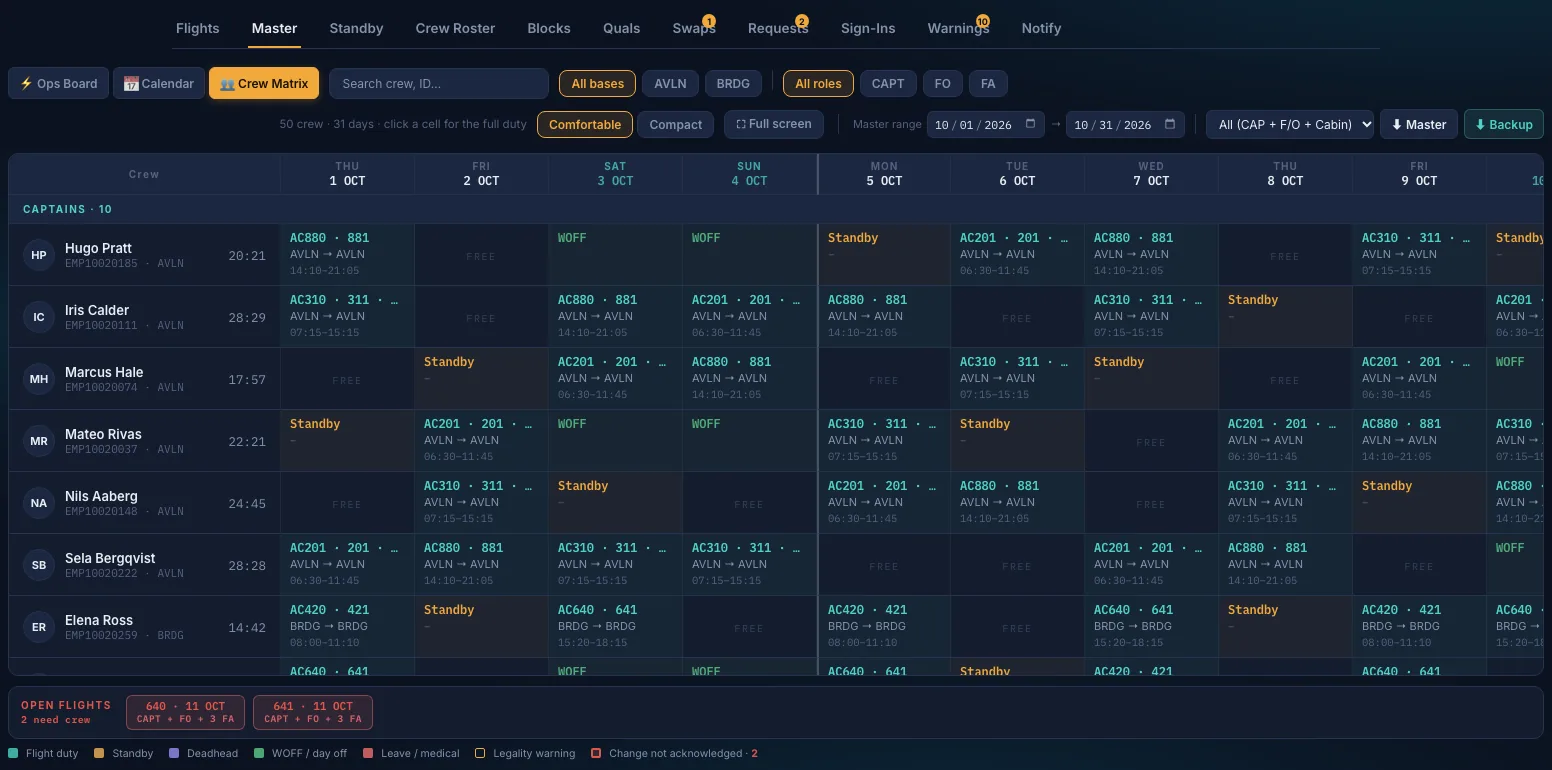 The crew matrix: each crew member’s month, their block hours, and the flights still to crew.Full size
Generate the month, then adjust it.
Auto-generate fills every seat it can legally fill. Duties stay inside their limits, rest is kept, type ratings and international training are respected, and block hours and nights away are shared out across each base.
- Fill only the open seats, or rebuild the month from scratch
- Positioning flights planned when crew have to be elsewhere
- Standby crew called up only as a last resort
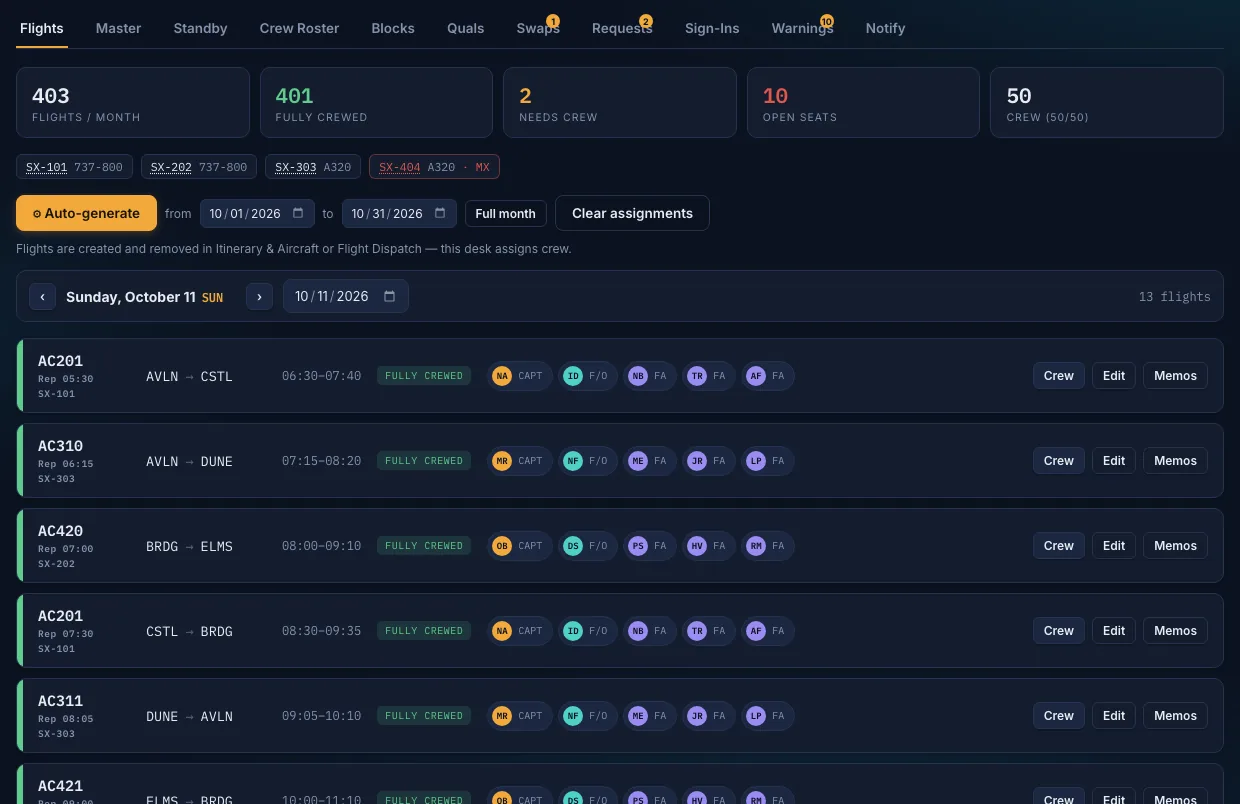 Flights: the month’s open seats counted at the top, then every flight with its crew.Full size
Every gap, before it reaches the day.
The board lays out each day’s flights with their crews, beside a column of what needs attention: flights still short of crew, anyone at the consecutive-day limit, and how evenly the rotation runs at each base.
- Auto-fill the gaps without moving anyone already assigned
- Filter by base, by open seats or by warnings
- The master roster exported to Excel
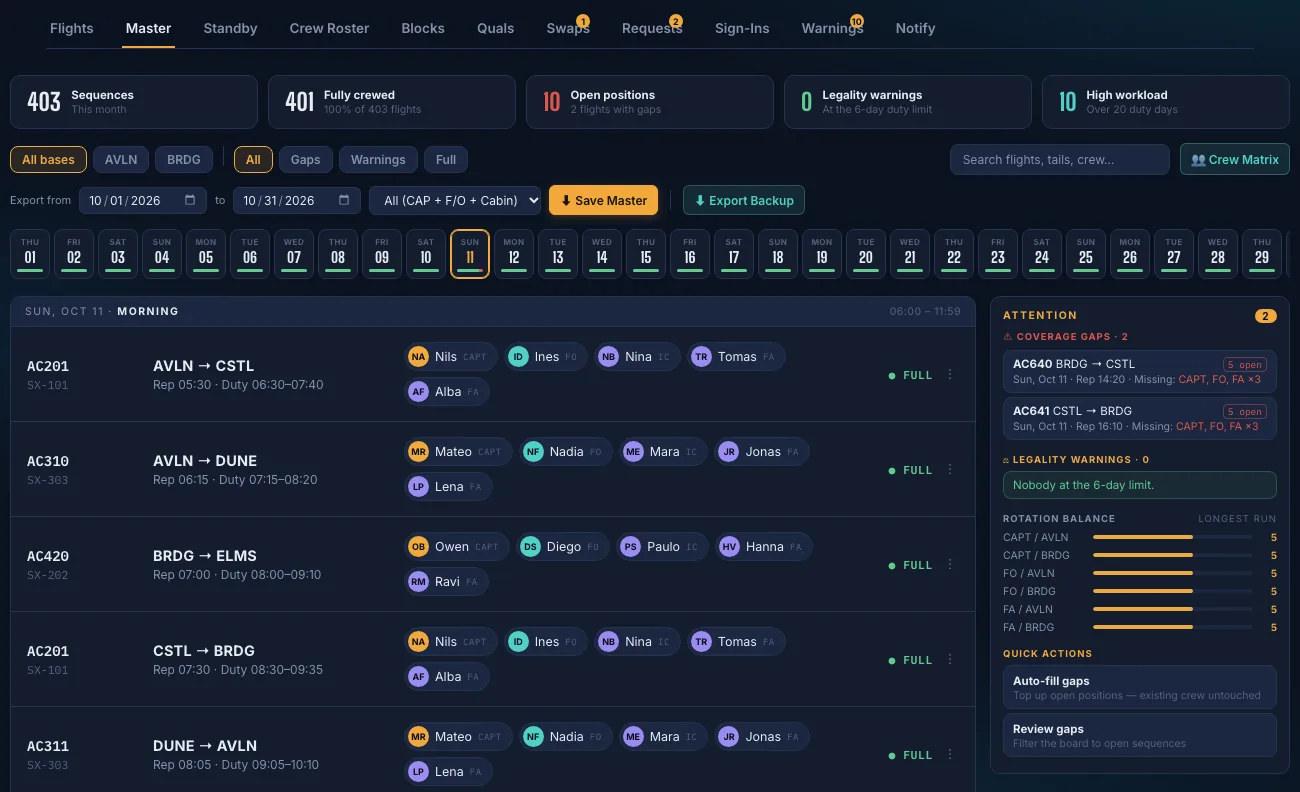 The board: two flights still short of crew, and the rotation balance at each base.Full size
Requests come in from the crew app.
Vacation and day-off requests arrive with their dates and reason. Approve one and those days are blocked on the roster, so the next generation plans around them.
- Swaps between two named crew members, checked for conflicts before approval
- The decision reaches the crew member’s phone
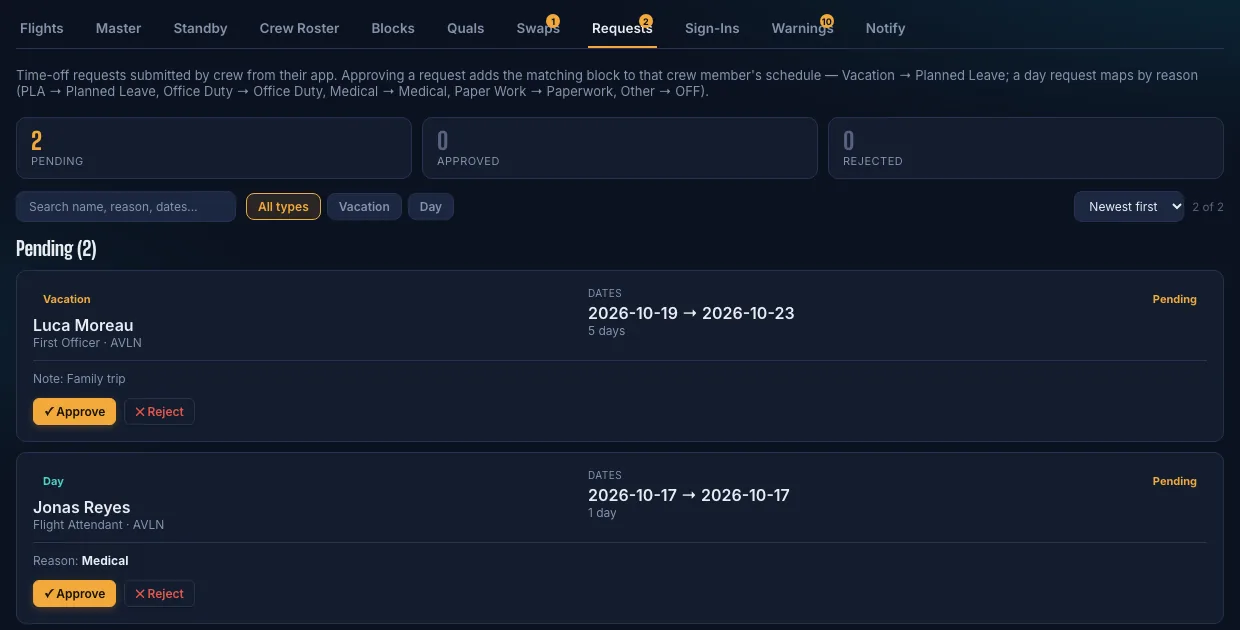 Requests: a vacation and a medical day, waiting for a decision.Full size
Know who has reported for duty.
Crew sign in for duty from the app. The sign-in board shows who has signed in, who is due and who is overdue, by base and role, with the most urgent report at the top.
- Sign-in opens a day ahead, with tomorrow’s duties sent to the phone
- Automatic reminders once a report time has passed
- A sign-in recorded by the desk when a crew member cannot
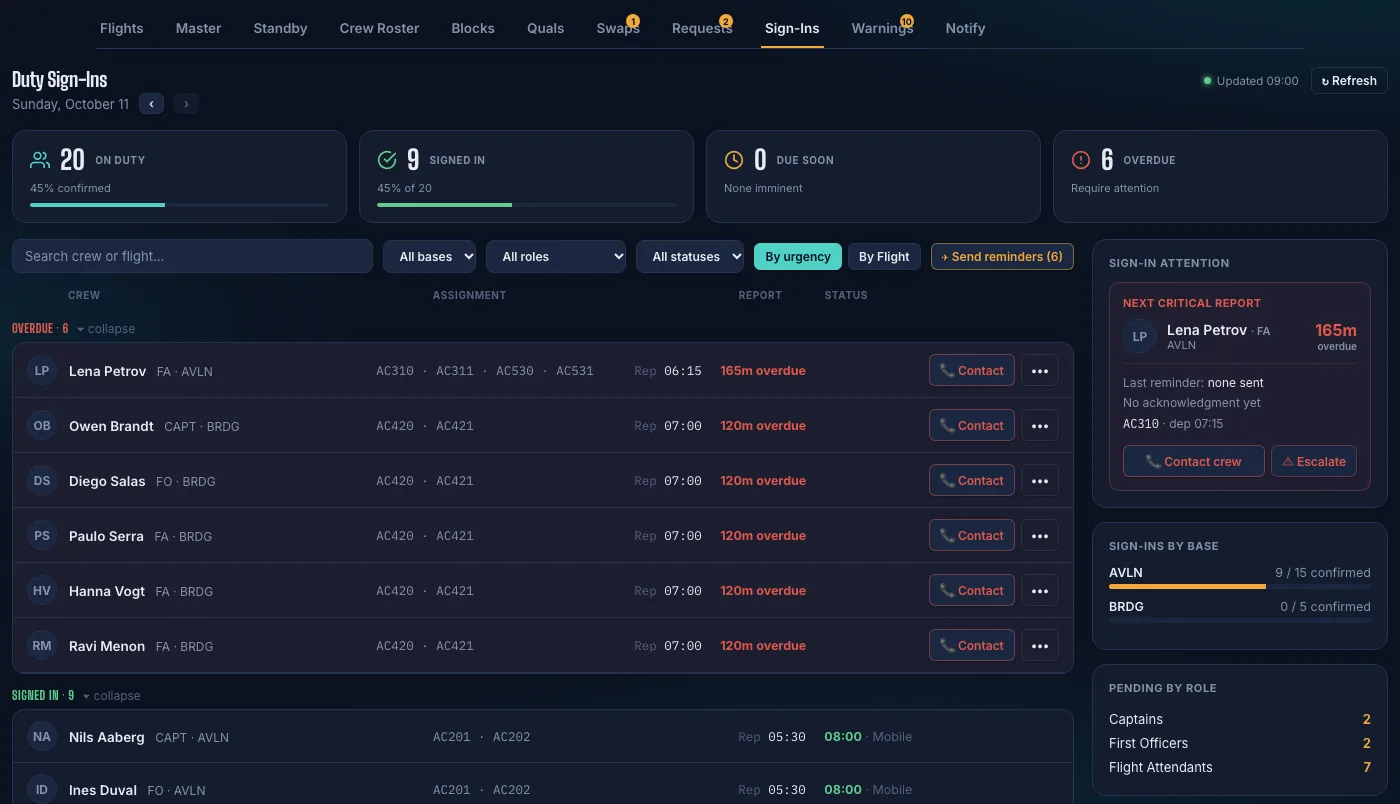 Duty sign-ins: who has reported, and who is overdue.Full size


See it with your own routes.
Tell us about your airline and we set up a walkthrough with your own network, fleet and crew rules.
Write to us
sales@auroracrew.appSay which airline you are with, your fleet and your bases, and what you would like to see. A person reads every message.
Or write to us on WhatsApp: +58 422 010 9110