Itinerary
Routes, times and aircraft for every day of the month. Planned in a draft, checked tail by tail, and sent to crew scheduling when it is ready.
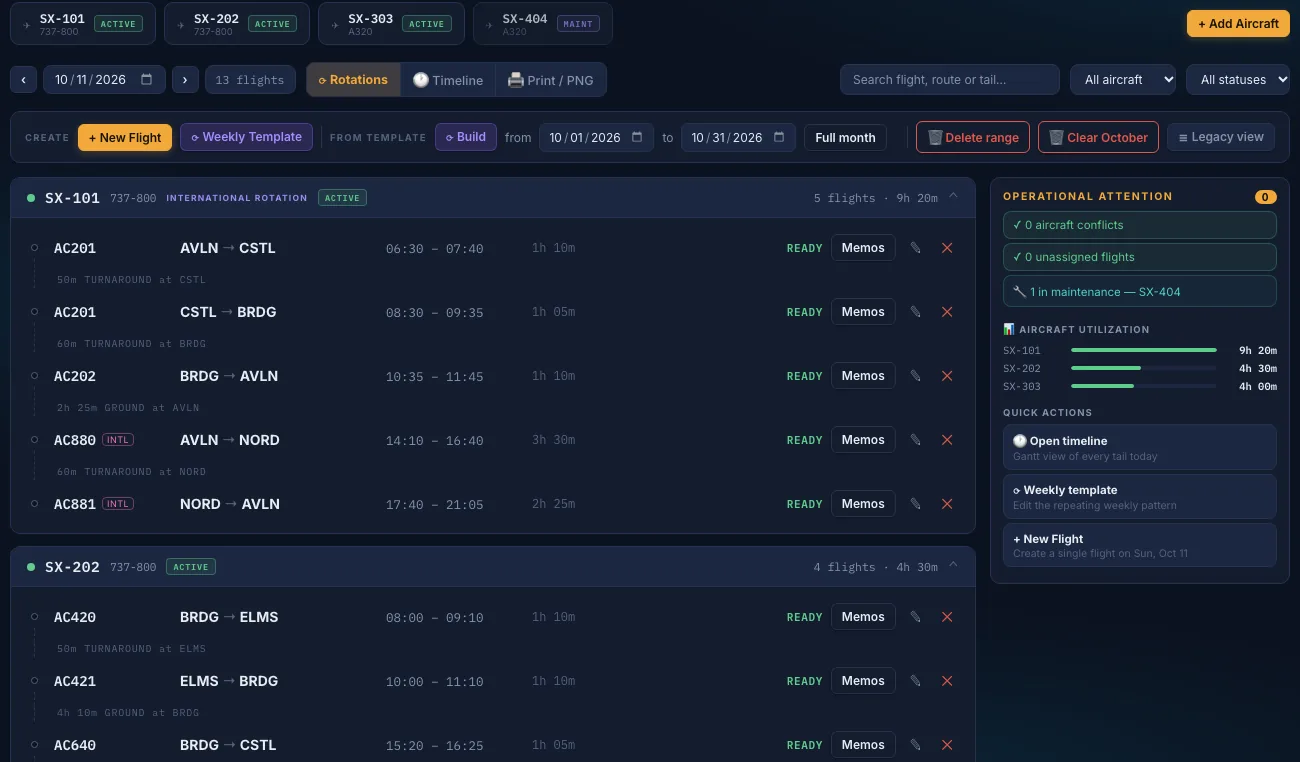 The day by aircraft: every rotation with its turnarounds, and what needs attention before it flies.Full size
Every aircraft on one line.
The timeline draws the day tail by tail: each flight green when it is fully crewed and amber while it still needs crew, the aircraft in maintenance out of service, and any change the live operation has made marked on the plan.
- Flights picked on the board and given an aircraft
- Delays and aircraft changes from operations control, shown where they land
- A flight with no aircraft on a row of its own
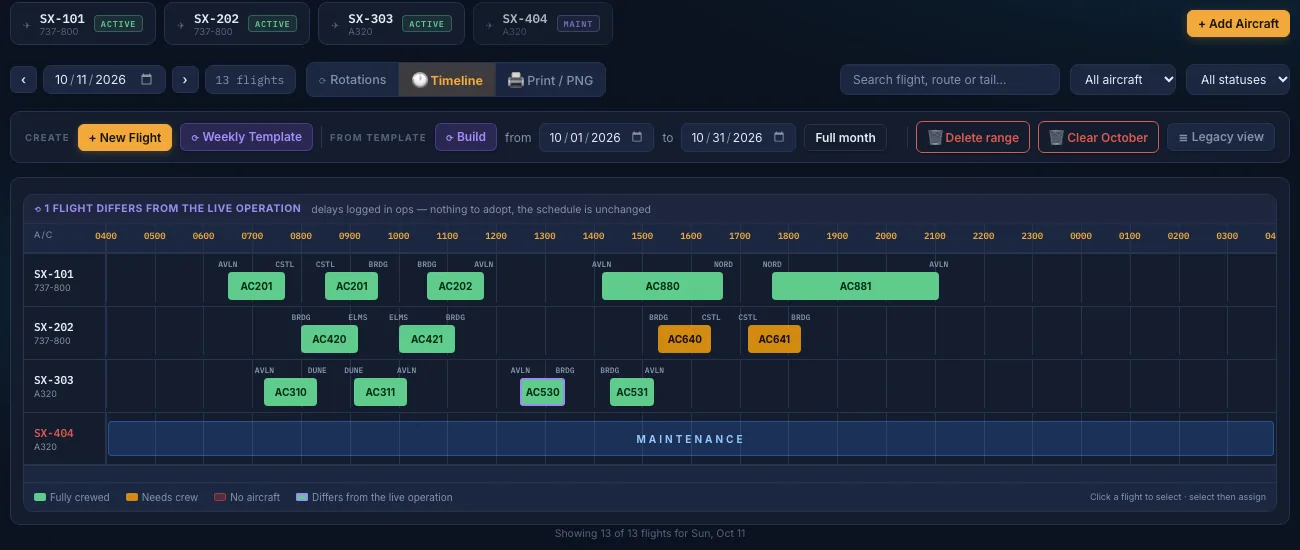 The timeline: every tail’s day, its crewing at a glance, and the aircraft in maintenance.Full size
A week, then the month.
Set the flights for each day of the week once, and Build fills the month from that pattern, keeping the crew already assigned wherever the flight and date still match.
- Flights saved once and reused on any day
- Built in a draft, sent to crew scheduling when it is ready
- Flown days never replaced, and a backup taken before every send
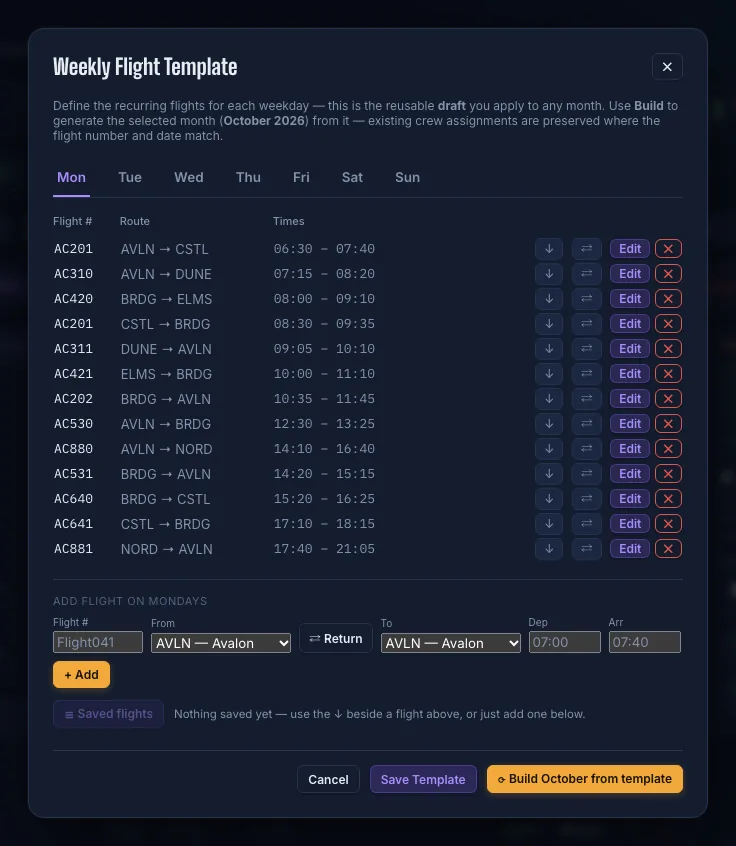 The weekly template: Monday’s thirteen flights, and October built from them.Full size


See it with your own routes.
Tell us about your airline and we set up a walkthrough with your own network, fleet and crew rules.
Write to us
sales@auroracrew.appSay which airline you are with, your fleet and your bases, and what you would like to see. A person reads every message.
Or write to us on WhatsApp: +58 422 010 9110