Operations control
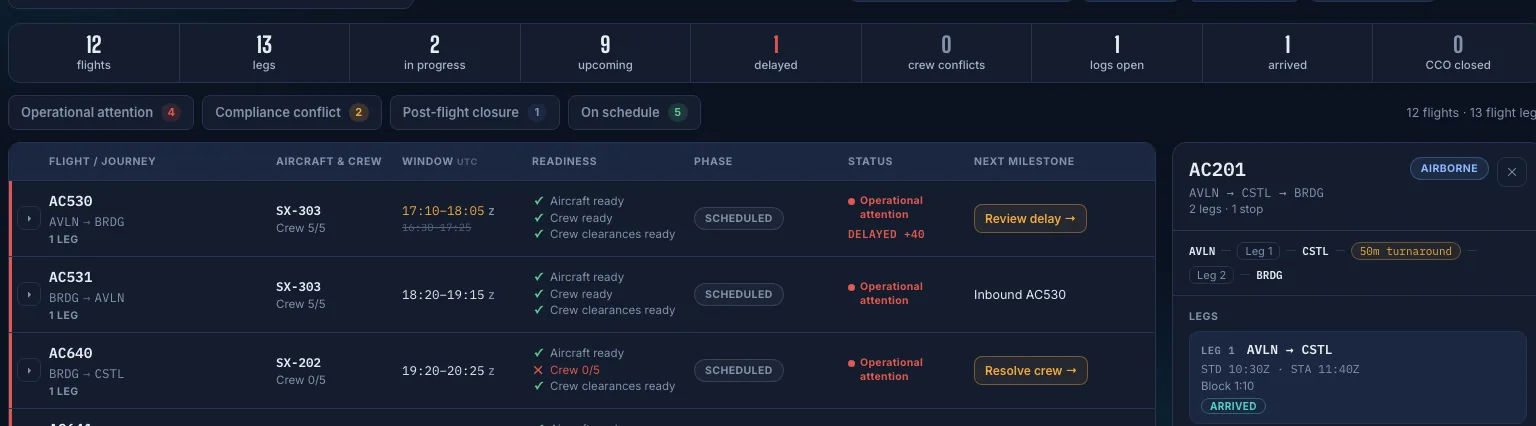
One board for the day’s operation: every flight’s readiness and phase, the delays and reports still open, and the roster re-checked whenever a time changes.
One queue for what is still open.
Everything operations control still owes the day lands in one queue, most urgent first: a report overdue, a delay not yet resolved, a log left incomplete. Each row carries the button that closes it.
- Ranked by urgency, then by how long it has waited
- Filtered by base or by kind of item
- An alert when a flight is ready to log
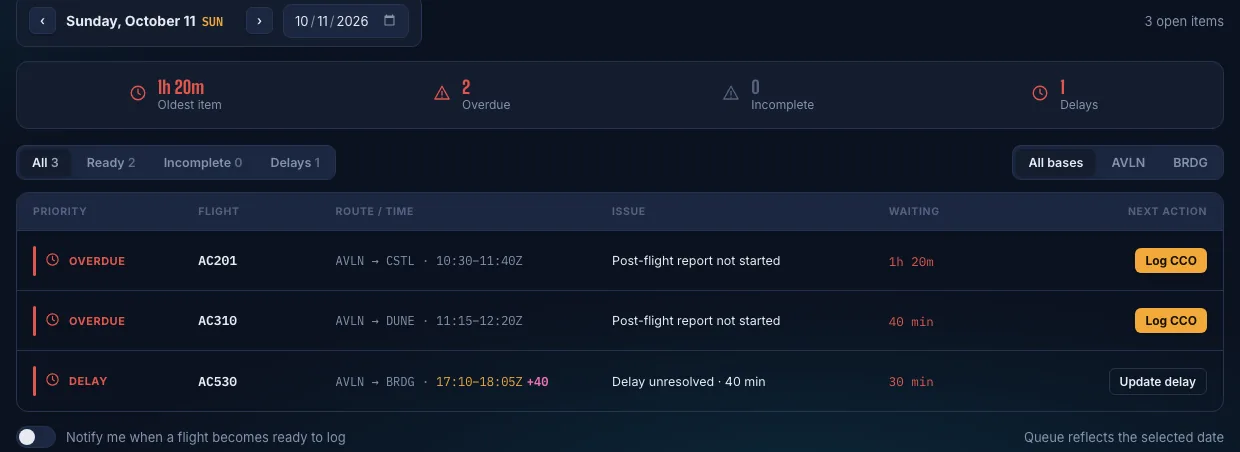 The queue: two reports overdue and a delay to update, oldest first.Full size
The day as it is flying.
The ops timeline draws every aircraft’s day against the clock: what has landed, what is late and by how much, the turnaround left between flights, and any conflict a change creates. Drag a flight to retime it, five minutes at a time.
- A delay logged once, with its knock-on to the next rotation
- Turnarounds measured between every pair of flights
- Times in UTC or local time
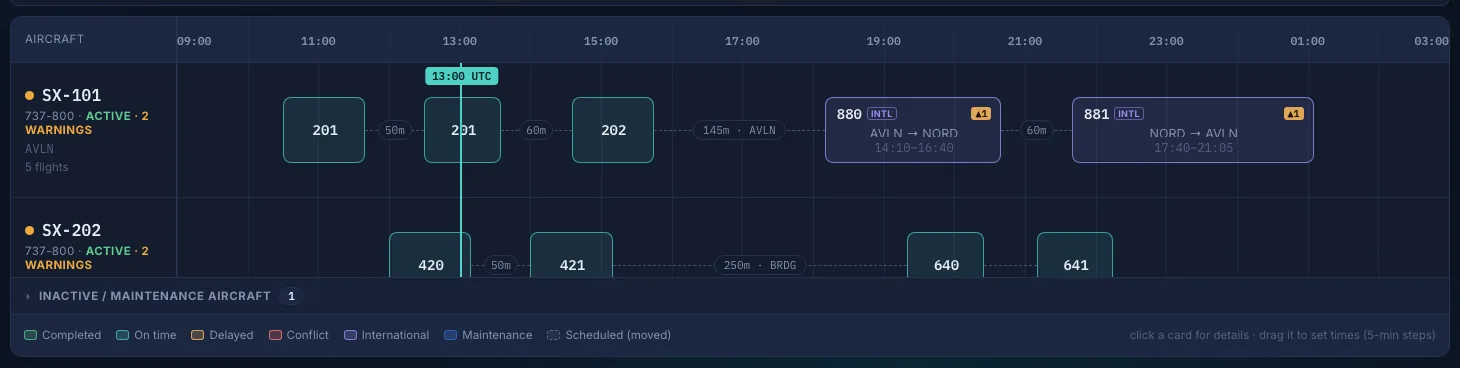 The ops timeline: each tail’s day against the clock, with the turnaround between flights.Full size
Every flight closed with its log.
The post-flight log records the flight as it was flown, in six sections and thirty-three fields: doors and block times, fuel at each stage, passengers, load and cargo, the arrival, diversions and MEL items.
- Fuel uplift with the supplier’s invoice attached
- Delays recorded against the flight they hit
- A logged flight protected from schedule edits
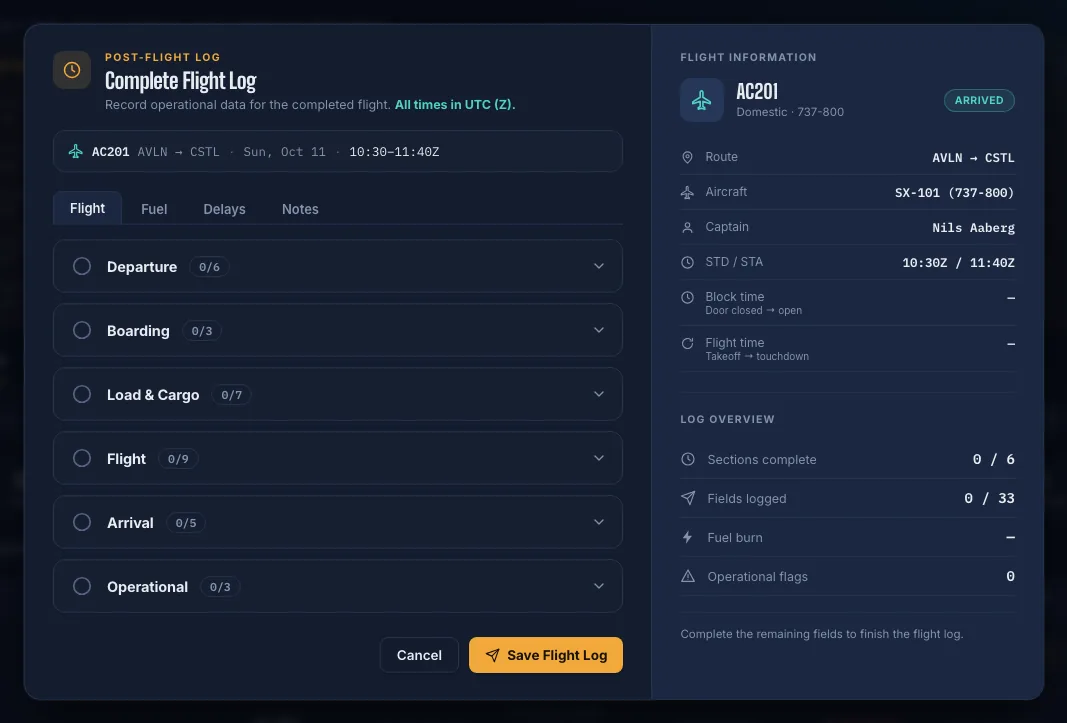 The post-flight log: six sections, thirty-three fields, and the flight beside them.Full size
A record you can hand to anyone.
Every logged flight stays on file, searchable by date, flight, route, aircraft or captain, with its report status and delay. Export a day, a date range or the month as one Excel workbook.
- Flight operations, fuel and load, delays and flags, and the crew manifest
- Or a quick CSV of the flight list
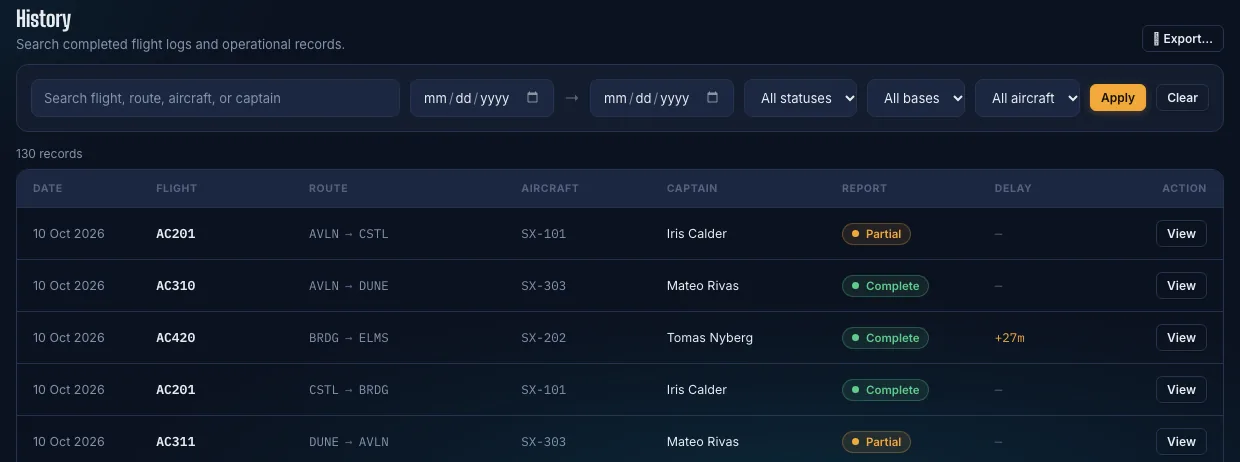 History: every logged flight on file, ready to export.Full size

See it with your own routes.
Tell us about your airline and we set up a walkthrough with your own network, fleet and crew rules.
Write to us
sales@auroracrew.appSay which airline you are with, your fleet and your bases, and what you would like to see. A person reads every message.
Or write to us on WhatsApp: +58 422 010 9110